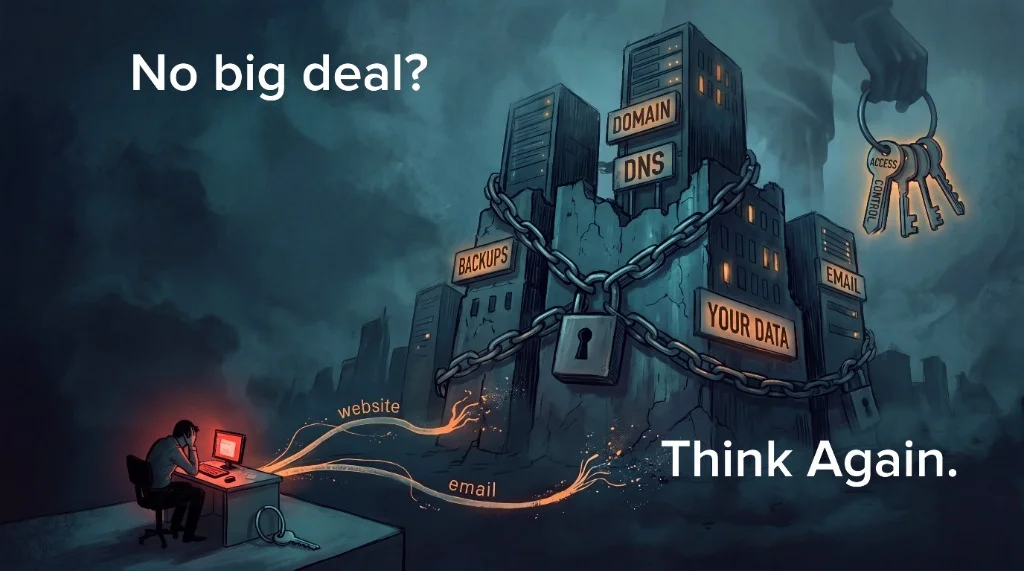
A forgotten password usually isn't a disaster. You click "Forgot password," wait for the email, type in a code, invent something new you'll probably forget again, and get on with your day. Fifteen minutes, gone. Annoying, not serious.
Locked out at work? You call IT. A few questions, a temporary password, and you're back in.
Because it's so easy to fix, we've learned to treat passwords like they don't really matter.
Forgot it? Reset it. Too many to remember? Use the same one everywhere. Can't be bothered with a password manager? Keep a spreadsheet. Or a Word document helpfully named "Passwords."
Each of those shortcuts has a price. We just don't pay it on the day we take it.
Reuse one password and a single leak from some forum you joined in 2019 becomes a key that gets tried on your email, your bank, and your business. Keep them all in one spreadsheet and whoever gets that file gets everything. But at least those are still your passwords, in your hands.
Who Holds the Keys?
Here's the question almost nobody asks until it's too late:
Who has the passwords that actually run your company?
Not your login. The big ones.
Who can sign in to your domain registrar, the place that controls your company's name on the internet? Who controls your DNS, the system that tells the world where your website and email live? Who is the global administrator for your Microsoft 365 tenant (or your Google Workspace), where every mailbox, every file, and every login sits?
For a lot of small companies, the honest answer is: somebody else.
An IT provider set it up years ago. A web designer registered the domain in their own account because it was easier. A hosting company bundled mail, website, and DNS into one tidy login that only they use. It feels convenient, because it is convenient, right up until it isn't.
What happens if that company goes under? What happens if you fire them? What happens if they simply stop answering?
When the Theoretical Stops Being Theoretical
This month, we watched that question stop being theoretical.
US Internet shut down its legacy mail and DNS services. In the work that came to us alone, we saw over a hundred companies that, for some period, had no email and no website. Not slow. Not glitchy. Gone.
For some of them, the move was almost easy. They knew where their domain was registered. They had the login. They could prove who they were, point their DNS somewhere new, set up new mailboxes, and get back to work.
Others weren't so lucky.
Their passwords were held by a third party, sometimes set up so long ago that nobody at the company had ever seen them. And here's the trap: the normal way you prove you own an account is by getting an email or a verification code.
What do you do when the email system you're trying to recover is the thing that's broken?
The code goes to a mailbox that no longer exists. The account is in the name of a former employee, or a vendor who no longer returns calls. The registrar will help you eventually, with paperwork, proof, and waiting. But "eventually" means days and weeks, not minutes, while your customers email an address that bounces and find a website that won't load.
Some of those companies are still down.
That's not because the fix doesn't exist. It does, and it isn't especially hard. They're down because nobody can prove, to the satisfaction of whoever holds the keys, that the keys belong to them.
The Real Bill
That's the real cost of a forgotten password. It isn't fifteen minutes and a reset link.
It's days without email. It's orders that never arrived, invoices that never went out, and customers who quietly assumed you'd gone out of business. It's emergency work at emergency rates, done under pressure by whoever you can find. For a small company, that bill, in lost business and not just IT hours, runs into tens of thousands of dollars very quickly.
And it almost always traces back to something that sounded harmless at the time: "Don't worry about it, we'll keep all that for you."
A Simple Test You Can Run This Week
So here's a simple test you can run this week. It costs nothing.
Write down the four or five systems that would stop your business if you lost access tomorrow: your domain registrar, your DNS, your email, your website host, your backups. Next to each one, write where your copy of that login lives. Not your vendor's copy. Yours, in your own password manager, under your control, with the recovery codes saved alongside it.
If there's a blank on that list, you don't have an IT problem yet. You have a phone call to make while everything still works, which is the cheapest time in the world to make it.
We hand every client a copy of every credential we touch: their admin accounts, their emergency "break glass" accounts, all of it, in a vault they control. If they want to fire us, they remove our access and they're done. That's not generosity. That's what ownership is supposed to look like. Those systems are theirs. We're just the technicians working in them.
If some third party is holding your keys, make sure you have a copy.
Not just on their system.
Yours.
Not sure who holds yours? We'll help you find out. No charge, no pitch.
Related Resources
- Free Email Security Check — SPF, DKIM, DMARC scored in 30 seconds
- Managed IT in Stafford, VA — Monitoring, patching, MDR, and support
- Case Studies — See how we've helped businesses like yours
- All Services — IT support, network design, and security

